
 Freemarker has been around for several years and is an unbelievably simple and powerful tool. Freemarker is used by numerous tools and frameworks, just click the “powered by” link to the right. Although it has not had a major release for some time, it is still an active project. I believe the tool is so mature, that it essentially does exactly what it needs to, minimizing the need for new features/releases. I first became aware of Freemarker using the Hibernate reverse engineering tool. We had some specific code fragments and styles we wanted to generate; it was very simple to augment and override the base code generation functionality, once you knew what was going on! I also worked on a Struts2-based project, which also utilized Freemarker.
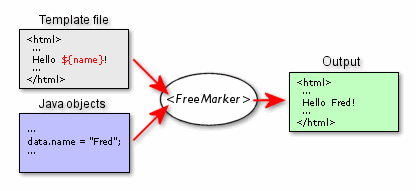 I liked the Freemarker overview picture, taken from the project’s web site; it shows just how simple the tool is to understand and use. I thought I would highlight a non-traditional use of Freemarker to demonstrate how easily it can be integrated into any project. And, hopefully get you thinking about some interesting ways it can be utilized. The API is extremely configurable, capable of utilizing multiple types of input, such as databases or files, and can even be used as an alternative to XSLT. Please read the feature page for a full list of capabilities.
To start with, I created a simple little wrapper class to hide the Freemarker specifics and make it easier to deal with different type input objects. Freemarker can populate templates using a Map or simple Java bean, my preferred method of interaction. The helper class has a simple API, one overloaded method named process. You simply provide the template as a String, along with the input object; the generated result String is returned from the method. I have not really needed to do anything super fancy and the helper class meets all of my needs, from conditional logic, iteration, to custom formating, which is all implemented in the template.
public class FreemarkerHelper {

    private static final Logger LOGGER = LoggerFactory.getLogger(FreemarkerHelper.class);

    public String process(final String template, final Object input) {
       final Configuration cfg = new Configuration();
       cfg.setObjectWrapper(new DefaultObjectWrapper());
       return process(cfg, template, input);
    }

    public String process(final String template, final Map<String, Object> input) {
	return process(new Configuration(), template, input);
    }

    private String process(final Configuration cfg, final String template, final Object input) {
        String rc = null;

       try {
           final Template temp =new Template("TemporaryTemplate", new StringReader(template), cfg);

           final Writer out = new StringWriter();
	   temp.process(input, out);
	   rc = out.toString();
	   out.close();
       }
       catch (final Exception e) {
           LOGGER.error("Problem",e));
       }

       return rc;
    }
}
In a recent project, I used Freemarker for multiple purposes, generating dynamic filenames and simple XML files. The system needed to dynamically generate filenames based on a specific set of meta data, such as the object id, user id, date, and other application specific data. We allowed the files names to be specified as a Freemarker template, such as….
String template = “MyFile_${userid}_${date?string(\”yyyyMMddHHmmss\”)}_${oid?string(\”#\”)}.xml“;
String template2 = “${oid?string(\”0000000000\”)}.${filename}“;
Using the basic formatting features, Freemarker allowed us to generate any filename (format) that was required, without changing the code. We could format the numeric object id as a simple number or padded with leading zeros. Likewise, dates could also be formatted using any combination of the date’s components, using just part of the date or the time. The more interesting part is that you just pass in a Java bean or map with those attributes defined and Freemarker does the real work. This is a pretty trivial usage of Freemarker, and might not be the most common usage pattern. However, I literally did not have to write any code, other than my little helper class, which I have used on multiple projects, and I can support unlimited filename combinations; Huge bang for the buck! Once I had the filename generated, I needed to generate a simple XML file to control some external processing. The file always had the same structure, just different values. This was perfect use of Freemarker, no need for for any heavy frameworks such as XML Beans or Castor. I just created a simple Java bean that captured the descriptive data and an XML template; within minutes, my XML control file was generated.
Another quick example, I recently built a little Servlet to act as a web service for a function that we wanted to make available to multiple applications. The primary output from was either a JSON or XML stream, but I also added a basic HTML response for testing and demonstrations purposes. I hacked together some basic HTML, but was disappointed by how ugly the application was! I Google for a free CSS template, and integrated it with my Servlet. I created a single page as a template and added variables for the title, menu, and body. Using my helper class, I was able to conditionally control the menus, as well as dynamically add the main body contents. Once again, this only took minutes to implement, and was quite a bit simpler than messing with Tiles or Sitemesh!
<#if current == "home" >
      <li id="current"><a href="/Context">Home</a></li>
<#else>
      <li><a href="/Context">Home</a></li>
</#if>





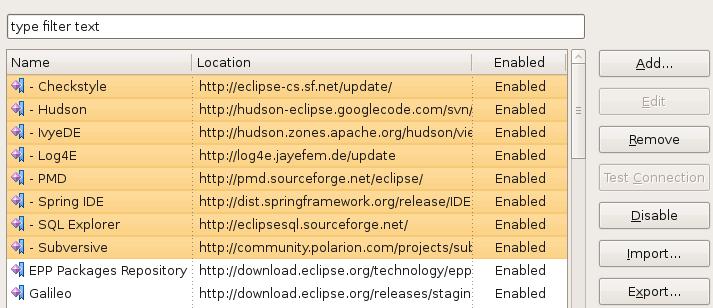 The Eclipse developers did a really nice upgrade to the Plug-in manager in the new Galileo release. Managing plug-in sites seems much easier and cleaner with the new Available Software Sites menu option in the main preferences area. Not really a new feature, but seemingly more obvious, is the ability to import and export update sites to and from your team mates. I have exported my settings and linked them to the XML file icon on the left. Simply download the XML file and import them into Eclipse and you are ready to go. I can’t believe I never used this feature in the previous versions!
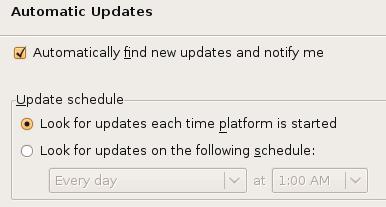 This is not a new feature either, but one that I always seem to forget! I just hit the Check for updates option every so often; not nearly as convenient! You can find this option under the Install/Update preferences panel as well.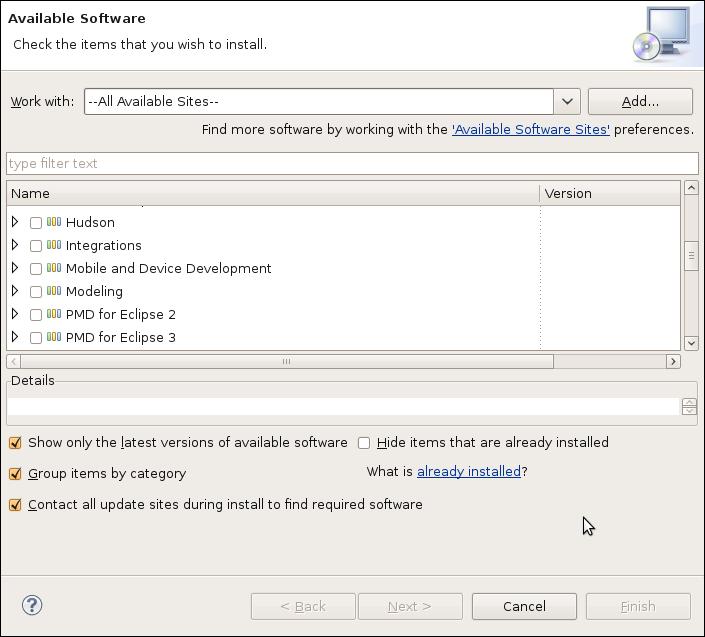
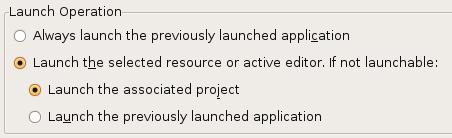
 I have to give credit to a co-worker who overheard me complaining about Eclipse one day… Ever since upgrading to the Ganymede version of Eclipse, the launch buttons for executing and debugging applications and unit tests were tied to the currently active editor. This was so annoying, I could not believe the Eclipse developers changed this behavior. Every time I clicked on the button, Eclipse would ask me what I wanted to do…. No, I don’t want to execute the XML file I was looking! No, I don’t want to execute the random Java file that I just fixed; I want to run the last unit test!
  I’m sure that everyone has seen this little icon on some web page or blog. Probably, like me, you never bothered to really check it out. How many tools or services do we need to save our bookmarks? I never worried about bookmark synchronization in the past. I would just re-Google my search, nine chances out of ten, I would find the page I was looking for. I generally don’t have time at work to read most (any) of the interesting articles I run across. To solve this problem, I started emailing the URLs to my home email and would read them in my spare time. This worked fine, but was kind of painful. I decided to gave
  I created an account,
 I recently found a plug-in that I wanted to share as well, called
  These are not really new features, but I bet most developers (like myself) have not given them the attention they deserve! Earlier this month, I read an interesting article on the
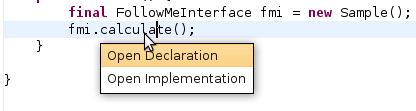 I might be in the minority, but I’m just not that excited by this release of Eclipse. I started using the RC3 version for real last week, and have had no issues at all; it seems very solid. I attempted to use with the first couple release candidates, but they did not seem to play well with the Subversion plug-ins. I’m sure it was user error; it could not have been that messed up! For whatever reason, Eclipse completely toasted my work area (multiple attempts) after every commit. Needless to say, I did not even bother using them. I have Eclipse integrated with the Spring IDE, Checkstyle, PMD, and Ivy plug-ins. I heavily use the Web Tools Platform for deploying web applications to Tomcat. At least for what I have been doing lately, there is nothing to get me really excited. I think the best part is, that everything still just works! I notice a new little feature every so often, but nothing that says that’s a keeper! I have been using the
 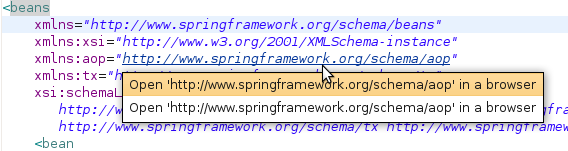 years and was glad to see they finally implemented this feature within Eclipse. It works pretty well, but they only implemented half of the functionality! With the Implementors plug-in, you can click on the interface method and ask to see all of the concrete implementations. You can, sort of, get the same functionality through the type hierarchy view, but not as nicely. After seeing the Open Implementation feature, I thought this was a new feature too; I did not know that you could just click on a URL and have it open up in the browser, kind of handy!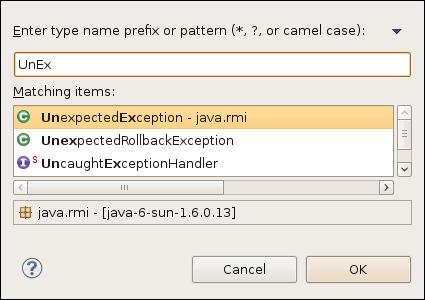


 I was looking for a development build of the IvyDE plug-in for Eclipse tonight and I stumbled across the