 I was looking for a development build of the IvyDE plug-in for Eclipse tonight and I stumbled across the Apache Hudson server. You have to check this out. Pretty cool, Hudson running over 150 jobs! Their build farm consist of both Solaris and Ubuntu servers. What I found most interesting was how they used Hudson for creating an Eclipse update site. I subscribe to the Hudson mailing list, summarized here, to follow what is going on with the project. People seem to use Hudson for a variety of different purposes, such as a cross platform testing tool and even as a deployment tool. I have only been able to get people interested in Hudson as a “Cruise Control” replacement…. but at least it is a good start!
This site also demonstrates how multiple projects can be linked together, triggering builds of dependent downstream projects. I’m not exactly sure how these jobs were assembled, but at a high-level, Ivy and IvyDE each have its own build loop (job). Each job is responsible for creating build artifacts. After a successful build of either job, a third job is triggered which creates/updates and Eclipse update site. Pretty slick. (As any FYI, the dev plug-in looks better, new presentation and several new new options)
Another small plug for Continuous Integration. We recently set up something kind of cool (trivial, but cool)! As we continue trying to convince the powers that be, to move away from Weblogic towards Tomcat (or even JBoss), we found a really nice little feature. Since Tomcat and JBoss can hot deploy a new version of the WAR file, just by noticing a difference on the file system, combined with the fact that we can spin up a Tomcat instance in about 2 minutes, we actually created an auto deployment mechanism. Our Weblogic environment seems so cumbersome in comparison…. We could have built the WAR and deployed in in our build loop, but that would have minimally added another 25 minutes to the loop (let’s just say we have an interesting deployment process). With Tomcat, we did a one time deployment to the location of the WAR file inside the Hudson workspace. Now, with each series of check-ins, we build the WAR as normal and Tomcat instantly deploys it, in seconds! If we were a little more sophisticated, we would write some jUnits to bang against it, making sure we did not break anything or create any new dependencies. Maybe I will throw that in during my next project!!! I know this integration was possible before (with Weblogic), but no way as simple! Even better Continuous Integration… on my last project I had Ant spin up an embedded Jetty web server, ran my jUnits against the Clover instrumented code, and finally had Ant shut down Jetty…. Pretty slick, from a code coverage collection perspective…


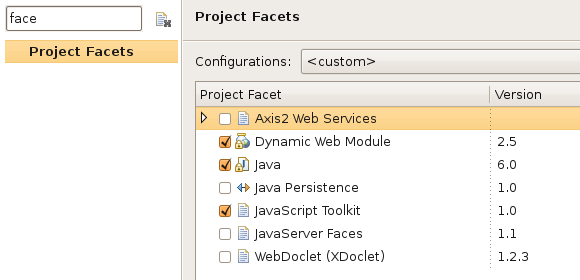
 If you have successfully converted your project, you will see a small globe appear on the project folder icon. You can now add the project to the Servers view and easily deploy the project in your locally configured runtime environment. I have glossed over some of the WTP setup, but will cover that in another post. I thought it was important to explain Facets; I had previously wasted significant time, manually converting projects to Dynamic Web projects. Unfortunately, the manual approach only worked about 50% of the time. Once I learned about Facets, it made my life a lot easier!
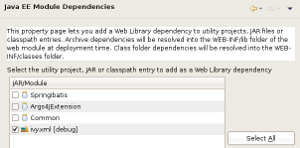
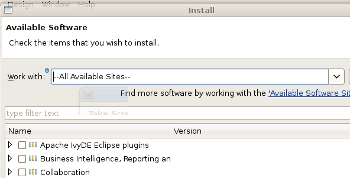 I only played with Galileo for about 10 minutes and I am already very intrigued. Based on my last post, I wanted to see if I could get Ivy and Eclipse to work better together and explore the new features. The first difference appears to be the way that plug-ins are installed and managed. Eclipse 3.4 significantly changed the way plug-ins were installed and it looks like they are changed again. Plug-in management was never as smooth as NetBeans. NetBeans provides a fully integrated solution for searching through available plug-ins, with click and go installation. The new Eclipse implementation looks promising, maybe not as polished as NetBeans, but a step in the right direction. As shown to the right, you can now view all of the available plug-ins in a much more controlled and usable approach. Managing additional software sites is much cleaner than before too.
 art using it for my daily work and try to find more interesting new features to report on!

 Early in my software development career, I had the good fortune to be mentored by someone who was an Emacs guy. After much complaining about the crazy, obscure key combinations, Emacs became my weapon of choice and I actually became pretty good at hacking LISP! I am still an Emacs guy, but only those crazy key bindings live with me today. We used to joke that Emacs was not an editor, but an operating system! I would start up Emacs in the morning; it was the only tool I needed all day. I could read my email, read news, compile code, debug, and even play games (which I never did, but thought it was cool!).
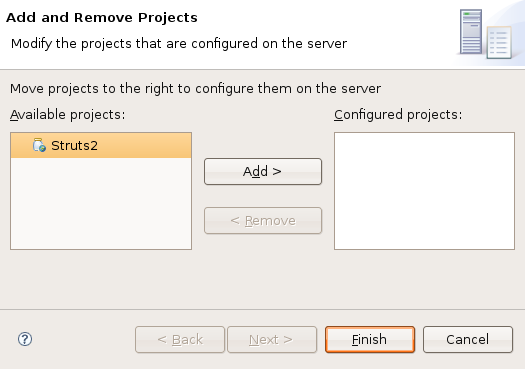
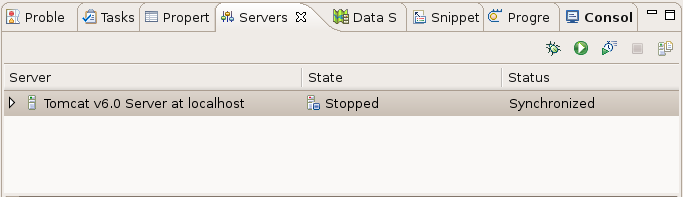
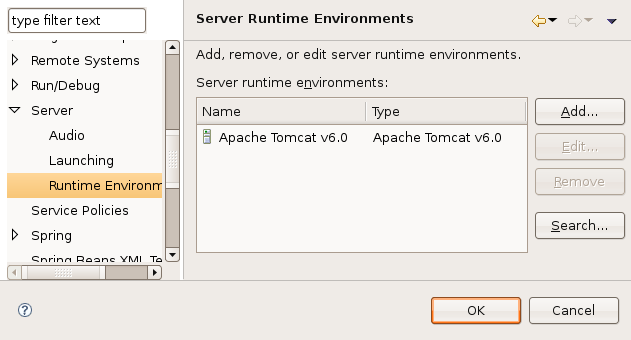 Hopefully, this will jump start your Eclipse-Tomcat Integration. It is not really that hard, but I made some assumptions that wasted a bunch of time. I’m not sure if this is completely correct, but it will minimally allow you to deploy and debug multiple web applications from within Eclipse.
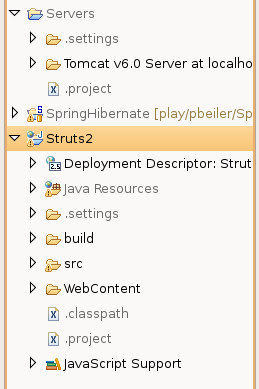 For the next step, you have to create a “Dynamic Web Project” or convert an existing one. This is required for the deployment process to work; Eclipse will not recognize any other project types. There are just a couple of configuration lines that need to be added to your .project file if you want to convert and existing project. However, you project must be in the proper format (directory structure) for this to work. The simplest way is to create a new “Dynamic Web Project” and compare the .project file to your current one; copy the changes over and you should be good to go. When you see the little blue world icon next to the project name, you know it worked
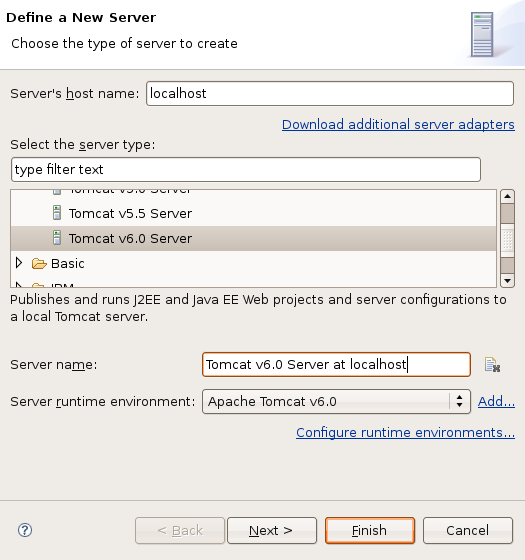 .
.