
 These are not really new features, but I bet most developers (like myself) have not given them the attention they deserve! Earlier this month, I read an interesting article on the Atlassian Developer Blog which peaked my jUnit interest. I remember reading about these features when jUnit 4.4 was released a couple of years ago (release notes), but I never took the time to try them out. JUnit included new abilities and concepts, such as Assumptions and Theories. To be real honest, the Assumptions and Theories sound really good in theory, but I’m not sure how practical they are in the real world! How can you argue with definition of a Theory… More flexible and expressive assertions, combined with the ability to state assumptions clearly, lead to a new kind of statement of intent.
First, I’m not sure how well Spring and Theories actually play together. They both need to have their own @RunWith annotation. Second, it is hard enough to get some developers to create a simple unit test! I will have to do some more pondering on Theories. Also, don’t get too carried away with the assumptions without doing some more reading; they have some rather unexpected behavior. Assumptions cause future assertions to pass, irregardless of the asserted value! Interesting?
The real power is in the “Matcher” functionality provided by Hamcrest, creating new capabilities (without writing additional code), a cleaner assertion syntax, creating more readable unit test code. Check out the multitude of convenince Matchers that are provided from Hamcrest. I focused on the power of the assertThat() method. The following code snippet demonstrates a couple of the matchers that I could have used a dozen times in the past and probably implemented my own nasty, non-reusable solution!
	@Test
	public void assertions() {

		final String colors = "color me crazy";
		final Collection<String> colorList = new ArrayList<String>();
		colorList.add("color");

		assertThat(colors, either(containsString("color")).or(containsString("colour")));

		assertThat(colorList, either(contains("color")).or(contains("colour")));

		assertThat("custom error message", colorList, //
				not(either(contains("red")).or(contains("green"))));

		assumeThat(colorList, contains("red"));
		fail("jUnit Still successful!! Does not fail!");
	}
Random Thoughts…
- jUnit 4.6 was recently released (release notes). I did not see anything exciting in new new release, other that some new integration with JUnit Max.
- As cool as JUnit Max sounds, it is now dead to me! The subscription fee has jumped to $10 per month… That is more than my XM Radio subscription!!! If continuous testing is really that cool, hopefully, other smart people are working on even better, open-source alternatives!
- The Spring 2.x framework integration was broken with jUnit 4.5 and required version 4.4. The new 3.x version of Spring, still in beta, works with both 4.5 and 4.6. It actually no longer works with 4.4!



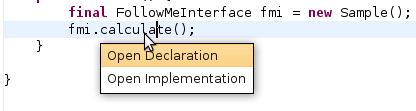 I might be in the minority, but I’m just not that excited by this release of Eclipse. I started using the RC3 version for real last week, and have had no issues at all; it seems very solid. I attempted to use with the first couple release candidates, but they did not seem to play well with the Subversion plug-ins. I’m sure it was user error; it could not have been that messed up! For whatever reason, Eclipse completely toasted my work area (multiple attempts) after every commit. Needless to say, I did not even bother using them. I have Eclipse integrated with the Spring IDE, Checkstyle, PMD, and Ivy plug-ins. I heavily use the Web Tools Platform for deploying web applications to Tomcat. At least for what I have been doing lately, there is nothing to get me really excited. I think the best part is, that everything still just works! I notice a new little feature every so often, but nothing that says that’s a keeper! I have been using the
 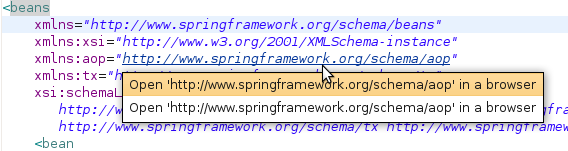 years and was glad to see they finally implemented this feature within Eclipse. It works pretty well, but they only implemented half of the functionality! With the Implementors plug-in, you can click on the interface method and ask to see all of the concrete implementations. You can, sort of, get the same functionality through the type hierarchy view, but not as nicely. After seeing the Open Implementation feature, I thought this was a new feature too; I did not know that you could just click on a URL and have it open up in the browser, kind of handy!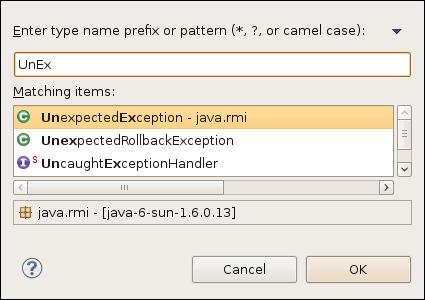


 I was looking for a development build of the IvyDE plug-in for Eclipse tonight and I stumbled across the