 I have been doing a lot of writing during the past six months – maybe as a professional, as I was paid to write! I worked on a number proposals for one of the big consulting firms. It was a very educational experience and I definitely learned a lot about the process. I’m obviously not a writer, but really enjoy the process. Writing provides two outlets for me, I get to be somewhat creative and it allows me to share my experiences. Working on proposals was not quite as much fun as blogging, but it did have a creative aspect to it… I think that I had as much fun developing graphics as I did writing! The two biggest challenges for me were time and perspective.
 Time is an obvious problem. The government typically gives you very little time to turn around an RFP and everyone does whatever it takes to get the response completed. It was a very interesting process. It takes so many people to put one together, just image what it takes to put together a 40 to 100 page response document – we are talking serious work. Fortunately, no single person writes the response and the work was distributed by section to teams which provide the content. While this is a reasonable approach to get the work done, it can lead to the second problem, which is perspective. Sometimes you are asked to write a section and are given absolutely no context of how it will be integrated into the document. The better proposal managers will build an outline; this gives the writers a general idea of how their contributions will integrate into the overall document. This approach is a big help for the writers, but does not solve all of the problems.
 Unfortunately, writing is very personal process and the appropriateness to the response is highly subjective. Proposals are fairly well structured. but each proposal manager has developed their own personal rules and approach to generating a good response. As a content provider, you have to develop a thick skin and not be too offended by the reviewer’s comments; it was very typical for your work to get shredded. It was hard to put so much time and effort into a document, just to have someone say it was not exactly what they were looking for. My boss was very good about this; he knew it was much harder to create content, than it was to critique it. I quickly learned to develop my visuals and outline before getting too invested, this helped me communicate where I was heading and minimized my rework. Even with this approach, it did not prevent rewrites. The last proposal I worked on, I rewrote the technical approach section four different times, starting from scratch each time. I’m not sure any of them were actually wrong or bad, but they just did not fit into with how the ultimate proposal was to be assembled. Many times, I would write five or six pages, only to have a single page included in the final response, that was always kind of a drag! It was still fun, each proposal taught me something new, a better way to write or assemble my thoughts, new technologies and how to apply them to large scale government problems; what more could you ask for! (Actually, better time management would have been nice!)
One day my boss and I were talking, actually he was red-lining one of my documents and talking about the proper usage of which and that. He was studying for his GMAT and there was a review of common grammar rules. Having been out of school for quite a few years and only taking the bare minimum writing and literature courses, I honestly do not remember even learning this rule! I thought it was kind of interesting. Since I write to improve my writing ability, I thought it deserved a blog entry. Funny thing, this subject popped up in one of my RSS feeds today and included the exact rule that my boss and I talked about!
I did a quick Google on grammar mistakes…. the web is full of funny examples! Let me be the first to say that I’m no expert and this blog is probably full of mistakes, hopefully not too many! There are literally thousands of references on the web. The first link was the post that I found today that prompted me to write this. The second link was just kind of funny; I liked the graphics. The third link just made me laugh. The fourth one is serious business! I know that some of these points seem trivial, but how we write and speak says volumes about us as a person and some people actually pay attention to these small details! I hope you will take a few minutes to refresh your memory on some of these rules They are really quick reads and might actually be helpful someday!
- Improve Your Writing by Avoiding These Twenty Common Grammar Mistakes Almost Everyone Makes
- How to use a semicolon
- Flagrant Grammar Mistakes That Make You Look Stupid
- GMAT Verbal: Five Must Know Grammar Rules
Another blog post sitting in my drafts for the last 7 years. I wrote it, I thought I should publish it!



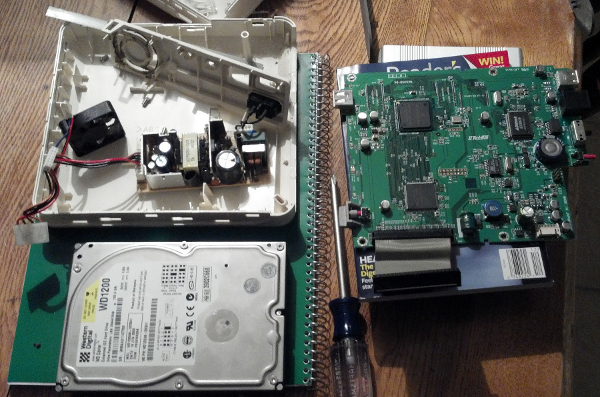
 I basically run everyday on a treadmill; bad knees prevent me from running outside. So, unless I am not able to get out of bed, I am on the treadmill by 5AM. I was running one morning last December and I smelled something burning, I thought the house was on fire! Unfortunately, the motor burned out and put a damper on my running! I figured it would be easier to fix it, rather than figuring out how to get rid of it! I had previously replaced two circuit boards in the treadmill, so I knew a guy in Michigan who dealt in


 While I was doing research on the LinkStation, I found a really cool site called
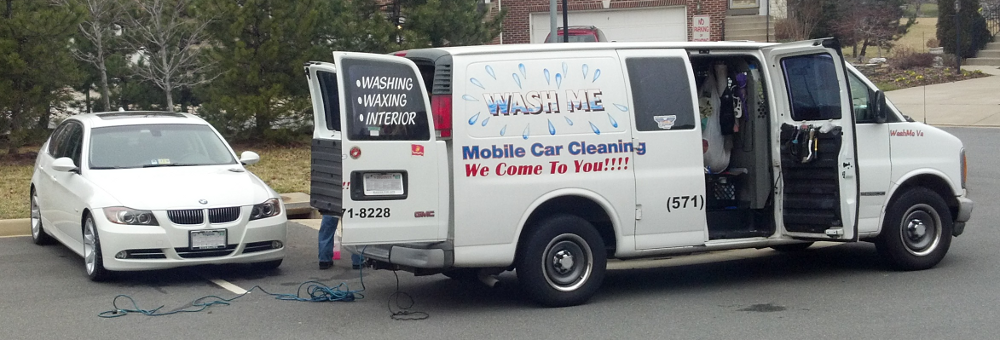
  My neighbor Hugh Murray has a great side business, a car detailing service. I have never had my car detailed before, but since I did not spend the money my parents gave me for Christmas, I said why not! ! I have no problem keeping my car clean, I wash it all the time. The thing is, I hate waxing cars. I don’t know why, I just find it a painful process and don’t remember being happy with the results. Hugh happened to be out washing his daughter’s car a couple weeks ago, so I stopped by to find out about his business. He does the whole detailing process, but is very flexible on what you can have done; I just wanted my car waxed!












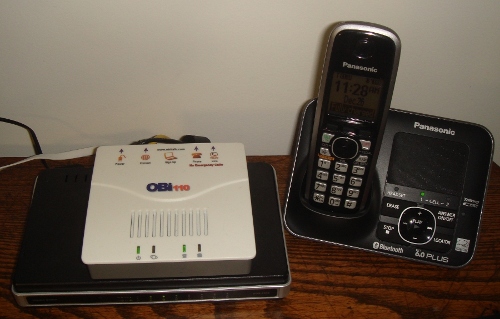
 Enter Google Voice. I have been a Google Voice user for a long time, even before Google purchased and rebranded it as Voice. I never achieved any great value from their service, but the integration with my Android phones was extremely nice. I mainly use it for the transcription of my voice mails. For the last year, I have used GV as my primary home phone, making most of my calls from the computer, using the Google Voice/Talk combination and a USB headset. This works pretty well, but sometime I miss talking on a real phone!